Cold Calling Software
HelloAirDial lets you make cold calls from a browser without installing a desktop dialer or committing to a monthly software subscription. Add credit, choose your caller ID, call mobiles and landlines, and keep call notes for your team.
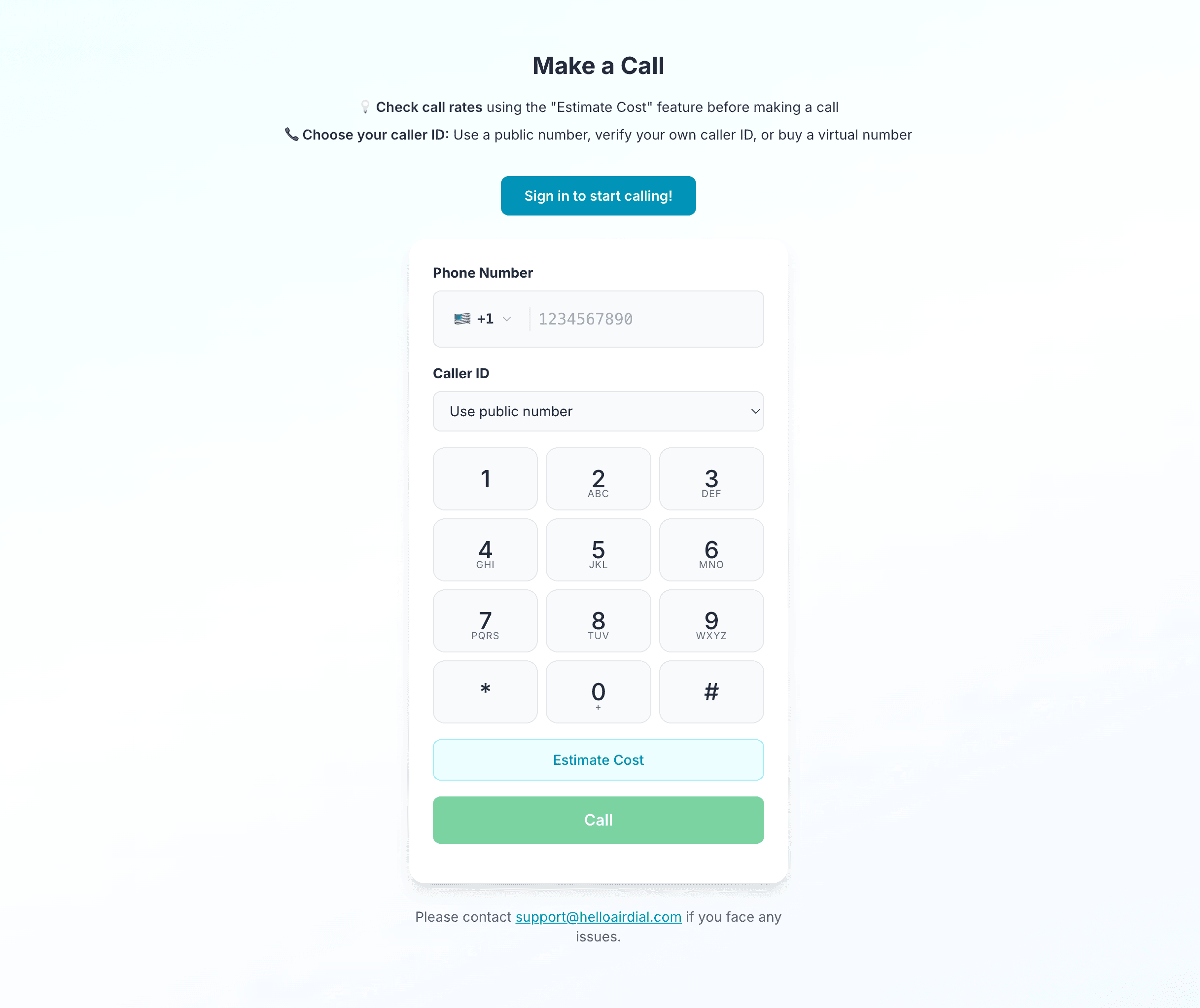
What is Cold Calling Software?
Cold calling software gives sales teams a structured way to place outbound calls and follow up after each conversation. Some products are built around list automation, CRM workflows, and sales engagement. HelloAirDial focuses on making the call easy to place, affordable to run, and easy to track afterward.
That makes it a better fit for teams that want browser-based calling, flexible spend, and practical follow-up notes without buying a larger sales dialer than they need. See how the manual dialer workflow gives the caller control over each call.
Cold Calling Dialer Features: HelloAirDial
| Best for | Why it fits |
|---|---|
| Solo reps and founders | No seat minimum or monthly dialer contract. |
| Small sales teams | A shared calling workflow without heavy setup. |
| Agencies and freelancers | Costs follow actual calling volume. |
| International prospecting | Teams can call mobiles and landlines across 200+ countries. |
| Teams that need fast setup | Calling runs in the browser, so there is no desktop dialer to install. |
Not ideal for
HelloAirDial is not built for teams that need predictive dialing, parallel dialing through large lists, deep CRM automation on day one, or enterprise call center controls. If those are core requirements, a subscription sales dialer is usually a better fit.
For outside context, this r/salesdevelopment discussion on dialers for solo cold callers shows the same tradeoff many solo reps run into: they want reliable manual calling without buying a heavier outbound system than they need.
 For outside context, this
 How the Cold Calling Workflow Works
A rep does not need a phone plan, desktop app, or IT setup before placing the first call.
- Create an account with your email.
- Add calling credit or use a trial call to test call quality.
- Choose a caller ID option before calling.
- Enter the prospect number with country code.
- Place the call from your browser.
- Add notes during or after the conversation.
- Review usage, recordings, and call activity from the team workflow when enabled.
Features That Matter for Cold Calling
A cold calling tool should match the work reps do each day: place calls, show a useful caller ID, keep notes, review conversations, and understand cost before a campaign starts.
| Feature | Why it matters |
|---|---|
| Browser-based dialer | Reps can start calling without installing desktop software. |
| Caller ID options | Teams can show a number prospects are more likely to recognize. |
| Calls to mobiles and landlines | Outreach is not limited to people using the same app. |
| Pay-as-you-go pricing | Small teams avoid paying for unused seats in slow months. |
| Call notes | Reps can keep context for follow-up after each conversation. |
| Call recording | Managers can review calls and coach reps on team plans. |
| Shared team credit | Teams can manage calling spend from one balance. |
| Destination rate lookup | Teams can estimate international campaign costs before calling. |

Pricing Model
HelloAirDial uses pay-as-you-go pricing. There is no monthly software subscription for the basic calling workflow, and the minimum top-up starts at $5. Calls are billed by destination, with rates from $0.02 per minute depending on the country.
This model works best when call volume changes from month to month. A founder testing a list, a small agency running a short campaign, or a team calling international prospects can avoid paying for unused seats during slower periods. For a fuller cost comparison, see our guide to affordable dialers for cold calling.
HelloAirDial vs Subscription Sales Dialers
Subscription sales dialers make sense when a team needs list automation, CRM routing, and a structured sales operation. HelloAirDial is a lighter fit for teams that mainly need reliable outbound calling without that overhead.
| Question | HelloAirDial | Subscription sales dialer |
|---|---|---|
| Pricing | Pay as you go | Monthly per-seat plans |
| Setup | Browser-based | Often needs app setup, CRM setup, or onboarding |
| Best fit | Small teams and flexible call volume | Larger teams with structured sales operations |
| Dialing automation | Manual browser dialing | May include auto, power, or predictive dialing |
| CRM depth | Notes and basic team workflow | Often deeper CRM and sales engagement features |
How this differs from cloud phone systems
Cloud phone systems are usually built for the whole company phone setup. They often handle routing, extensions, shared lines, texting, and support workflows. HelloAirDial is different because it focuses on the outbound calling job itself: place calls from a browser, choose the caller ID, and keep basic context for follow-up without setting up a full phone system.
If you are comparing that tradeoff, our CloudTalk alternatives and Zadarma alternatives guides cover heavier cloud phone options in more detail.
What to Check Before Choosing Cold Calling Software
- Does it call real mobile and landline numbers?
- Does it work in the countries your team calls?
- Can you check per-minute rates before a campaign?
- Does the pricing model fit your team size and call volume?
- Can your team use a caller ID prospects will recognize?
- Can reps keep notes and recordings for follow-up?
- Does setup require a desktop app, CRM admin, or annual contract?
- Does the tool match your actual dialing volume?
Honest Limitations
HelloAirDial is not a predictive dialer, power dialer, or sales engagement platform. It is a browser-based calling tool for teams that want simple setup, pay-as-you-go calling, caller ID options, notes, and recordings. If your team needs automated list dialing, deep CRM automation, or high-volume call center controls, a subscription sales dialer may be a better fit.
Frequently Asked Questions
Can I use HelloAirDial for cold calling?
Yes. HelloAirDial lets you place outbound calls to mobiles and landlines from a browser, so small sales teams, founders, agencies, and recruiters can use it for cold calling without installing a desktop dialer.
Is HelloAirDial an auto dialer?
No. HelloAirDial is a browser-based manual dialer. It does not automatically work through a list, place predictive calls, or dial several prospects in parallel.
Does HelloAirDial require a monthly subscription?
No. HelloAirDial uses pay-as-you-go pricing. You add calling credit and pay for the minutes you use, instead of paying a monthly per-seat software fee.
Can I use my own caller ID for cold calls?
Yes. HelloAirDial lets you verify a phone number you own and use it as outgoing caller ID. You can also use available caller ID options in the product depending on your setup.
Can I record cold calls?
Call recording is available for outbound calls on team plans. Teams can use recordings to review conversations and coach reps, subject to the laws and consent rules that apply where they call.
Can I call international prospects?
Yes. HelloAirDial connects to mobiles and landlines in more than 200 countries. Per-minute rates vary by destination, so teams should check the destination rate before a campaign.
Is HelloAirDial better for solo reps or teams?
It can work for both. Solo reps can start without a seat minimum, and small teams can use shared credit, call notes, usage tracking, and recording on team plans.
When should I choose a full sales dialer instead?
Choose a full sales dialer if you need predictive dialing, power dialing, automated list dialing, deep CRM automation, or call center controls. HelloAirDial is better suited to teams that want simple browser-based calling and flexible pricing.