How to Call International Numbers from the Philippines
Making international calls from the Philippines using carrier IDD can cost ₱2.50 to ₱22 per minute depending on your promo and destination. This guide covers the IDD prefix, Globe international call rates, GOCALLIDD, Smart international calling, and browser-based VoIP calling for people who want to call overseas without paying standard carrier rates. For a broader overview of all methods to call abroad cheap, see our complete guide. See also our guide for calling from India.
Cheapest Way to Make International Calls from the Philippines
 HelloAirDial (Browser-Based VoIP)
- ✅ Call USA, Saudi Arabia, UAE, Canada, and 200+ countries from the Philippines at local VoIP rates.
- ✅ No IDD activation or carrier load balance required.
- ✅ Works on any device with a browser and internet connection.
- ✅ Test call quality before adding balance.
Cost Comparison: VoIP vs IDD
Carrier IDD promos can help, but the final cost depends on your destination, promo validity, and whether the country is included.
| Method | Typical rate | Best for |
|---|---|---|
| Globe GOCALLIDD | Often ₱2.50-₱5/min on included countries | Short calls when your destination is covered |
| Globe standard IDD | Often much higher outside promo coverage | Fallback only after checking rates |
| Smart IDD | Varies by plan, promo, and destination | Smart users with an active calling promo |
| HelloAirDial | From ₱1/min on popular routes | Browser calls without promo registration |
A 10-minute overseas call can cost much less through browser calling than through standard carrier IDD.
The practical advantage is simpler billing: no promo keyword, no expiry window, and no included-country list to manage before every call.
Requirements for VoIP Calling
You do not need IDD activation, Globe or Smart load balance, or a carrier promo to call from the browser.
Device
Use a phone, laptop, or tablet with a modern browser.
Internet
Connect over WiFi, 4G, or 5G. You can also call without a SIM card.
Microphone
Allow microphone access when the browser asks. Built-in microphones work fine.
With HelloAirDial, you can skip expensive IDD setup and make calls directly from your browser. See our guide on the best WiFi calling apps for more options.
How to Call International Numbers from the Philippines
Philippines IDD Prefix and Dialing Format
00 + country code + area code + phone number. You can also use the + symbol on most mobile phones instead of 00.Examples:
- USA:
00-1-415-555-1234or+1 415 555 1234 - UK:
00-44-20-7946-0958or+44 20 7946 0958 - Saudi Arabia:
00-966-11-123-4567or+966 11 123 4567
0 from foreign area codes. For example, a London number written locally as 020 7946 0958 becomes 00-44-20-7946-0958 from the Philippines.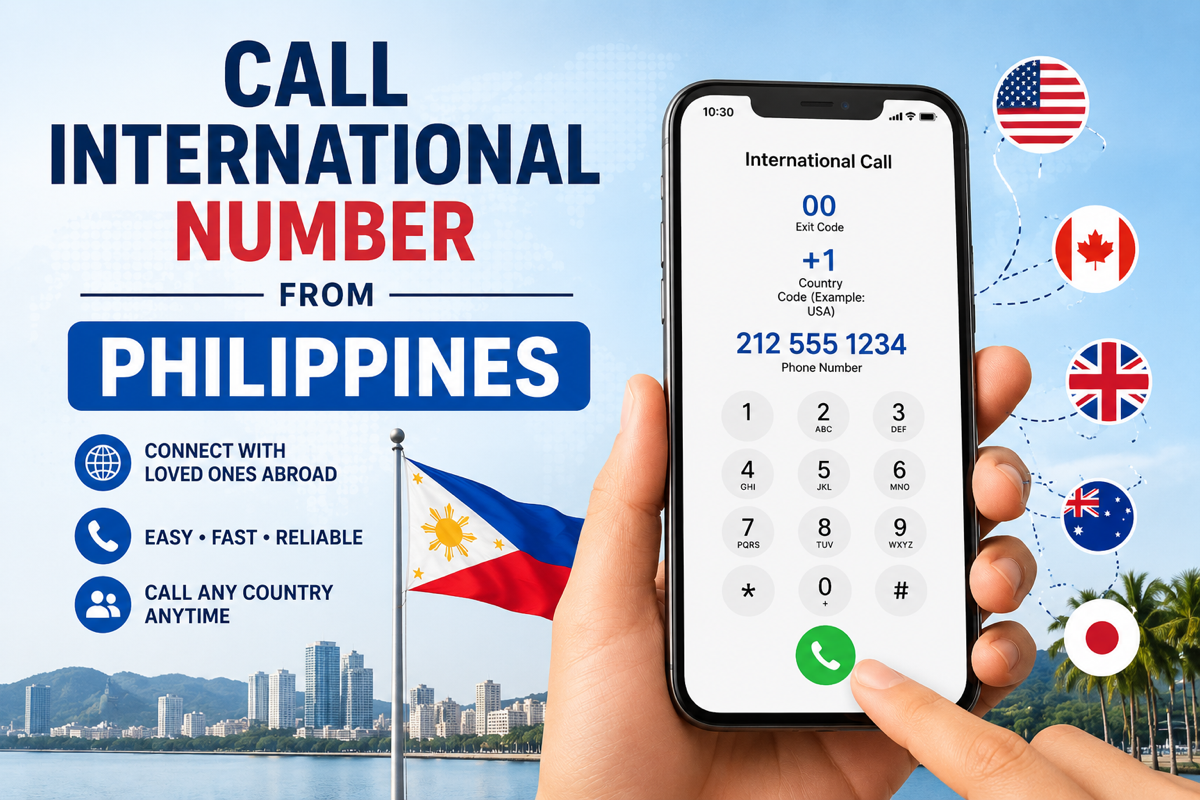
Carrier IDD vs Browser Calling
Carrier IDD is familiar and works from your normal phone dialer, but it can be expensive without a promo. Browser calling is usually cheaper for regular international calls, and it does not require IDD activation, carrier load, or a Globe/Smart promo.
How to Call USA from the Philippines
- Dialing format:
00-1+ 10-digit US phone number. - Example:
00-1-415-555-1234. - Note: The same format works for US mobile and landline numbers because the USA uses country code
+1. - Cost tip: Globe and Smart can complete USA calls through IDD, but browser calling is often cheaper for longer calls because it avoids standard carrier IDD rates.
How to Call UK from the Philippines
- Dialing format:
00-44+ UK number without the leading0. - London landline example:
020 7946 0958becomes00-44-20-7946-0958. - UK mobile example:
07700 900123becomes00-44-7700-900123. - Common mistake: Do not keep the first
0after the UK country code.
How to Call Saudi Arabia from the Philippines
- Dialing format:
00-966+ Saudi area code or mobile number. - Riyadh landline example:
00-966-11-123-4567. - Mobile note: Use the Saudi mobile number in international format after
00-966. - Cost tip: Saudi Arabia is a common route for Filipino workers and families, so check whether your Globe or Smart promo includes it before calling.
How to Call Canada from the Philippines
- Dialing format:
00-1+ 10-digit Canadian number. - Example:
00-1-416-555-1234. - Note: Canada uses country code
+1, the same as the USA. - Before calling: Confirm the rate for Canada in your carrier app or use browser calling if you want to avoid IDD promo setup.
How to Call Malaysia, Japan, Hong Kong, Singapore, UAE, and Australia
- Malaysia: dial
00-60+ local number, dropping the leading0. - Japan: dial
00-81+ local number, dropping the leading0. - Hong Kong: dial
00-852+ local number. - Singapore: dial
00-65+ local number. - UAE: dial
00-971+ local number, dropping the leading0. - Australia: dial
00-61+ local number, dropping the leading0.
For all countries, the same rule applies: start with 00 or +, add the country code, then dial the local number without its domestic trunk prefix.
Globe International Call Rates and GOCALLIDD Promo
How to Call International Using Globe
Globe international calls use the standard Philippine IDD format: 00 + country code + number.
Dialing example
To call a US number from Globe, dial 00-1-415-555-1234.
Before you call
Check that your SIM has enough load, IDD access is enabled, and any Globe IDD promo is active.
If the call fails
Confirm the number is in full international format and remove any local leading 0 after the country code.
Globe International Call Rates
Globe rates depend on the destination and whether your promo covers that country. Use these as planning ranges, then confirm live rates in GlobeOne before a long call.
| Route type | Common planning range | Examples |
|---|---|---|
| GOCALLIDD lower-rate routes | Around ₱2.50/min | USA, Canada, Singapore, Hong Kong, Australia |
| GOCALLIDD higher-rate routes | Around ₱5/min | UK, UAE, Saudi Arabia, Kuwait, Qatar |
| Standard pay-per-use IDD | Can be much higher | Calls outside promo coverage |
How to Use GOCALLIDD
1. Choose a promo
Common variants include GOCALLIDD30, GOCALLIDD50, and GOCALLIDD99.
2. Register
Register through GlobeOne or by texting the promo keyword to 8080.
3. Dial abroad
Use 00 + country code + number while the promo is active.
GOCALLIDD only helps when the destination is included and the promo is still valid. Otherwise, the call can fall back to standard international rates.
Smart International Calls and IDD Options
How to Call International Using Smart
Smart also uses the standard international format: 00 + country code + number. On mobile phones, you can usually use + instead of 00.
Canada example
Dial 00-1 followed by the 10-digit Canadian number.
Account check
Prepaid users need enough regular load or an active promo. Postpaid users may need international calling enabled.
Smart International Calling Promos
Smart promo availability, names, registration steps, and included countries can change. Check the Smart app or Smart support before relying on a promo for an important call.
Included country
Confirm the destination is covered before dialing.
Promo validity
Check the expiry window so the call does not fall back to standard rates.
Occasional calls
Browser calling can be simpler when you do not want promo keywords or route lists.
Smart vs Globe for International Calls
| Question | What to check |
|---|---|
| Which carrier is cheaper? | It depends on the destination and current promo. |
| Calling several countries? | Compare the rate for each route instead of assuming one carrier always wins. |
| Want less setup? | Use browser calling when you do not want to manage carrier promos. |
Common Mistakes to Avoid when calling from Philippines
Common Mistakes to Avoid
- Forgetting to remove the leading 0 from foreign area codes (London is 20, not 020)
- Dialing the local number without country code
- Not registering for an IDD promo and paying standard ₱22/min rates
- Letting your IDD promo expire without realizing
Frequently Asked Questions
What is the IDD prefix to call international numbers from the Philippines?
The standard IDD prefix from the Philippines is 00. Dial 00 + country code + area code + phone number. On mobile phones, you can usually use + instead of 00.
How do I call international using Globe?
Dial 00 + country code + number from your Globe phone. You need enough load or an active IDD promo such as GOCALLIDD. If the call fails, check that IDD is enabled and that the number is in full international format.
How do I call international using Smart?
Dial 00 + country code + number from your Smart phone. You may need regular load, postpaid IDD access, or an active international calling promo depending on your plan. Check the Smart app or Smart support for current availability.
How much are Globe international call rates?
Globe international call rates vary by country and promo. GOCALLIDD promo rates are often around ₱2.50-5/min for selected destinations, while standard pay-per-use international rates can be much higher. Check GlobeOne or Globe support for current rates before a long call.
Can I call USA from Philippines without IDD promo?
Yes. HelloAirDial works over the internet and does not require any Globe or Smart IDD promo. Just open the website, enter the US number with +1, and call. The recipient gets a normal phone call. No carrier settings or load balance needed.
What is the cheapest way to call internationally from Philippines?
Browser-based VoIP services like HelloAirDial often offer lower rates because calls route over the internet instead of relying only on carrier IDD networks. If both people already use the same messaging app, WhatsApp or Viber can work for app-to-app calls, but they cannot call regular landlines or mobile numbers directly.
Do I need to install any app?
No. HelloAirDial works directly in your web browser. Just visit the website and start calling.
Does the person I am calling need internet?
No. They receive a standard phone call on their regular landline or mobile.
How much does Globe or Smart IDD cost?
With GOCALLIDD promo, Globe charges ₱2.50-5/min depending on destination, while standard rates outside promo coverage can be much higher. Smart rates depend on your plan, destination, and current promo availability. HelloAirDial rates start from ₱1/min.
Can I use my Philippine number as caller ID?
Yes. You can verify your Philippine phone number as caller ID for a one-time fee of ₱28 ($0.50). Recipients will then see your real number when you call.